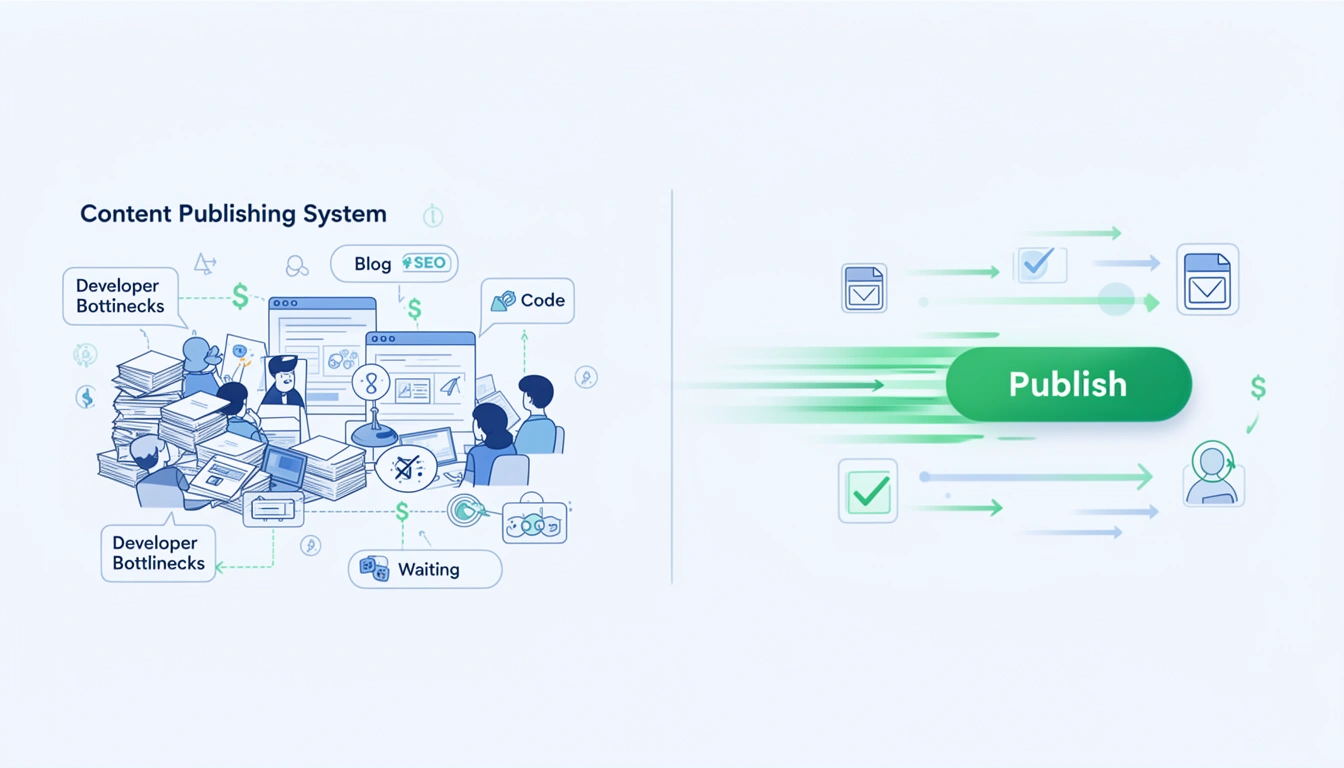
Enterprise content teams are drowning in publishing backlogs. The average B2B company has 47 pieces of content stuck in editorial limbo at any given time waiting for developers, design reviews, or platform migrations. Meanwhile, their competitors are shipping daily.
The bottleneck isn't ideation or writing. It's the infrastructure itself.
Traditional CMS platforms like WordPress, Contentful, and Drupal require constant developer intervention for updates, migrations, and optimization. Every blog post becomes a technical project. Every design change triggers a deployment cycle. Every SEO update needs engineering resources.
This technical debt doesn't just slow you down it actively damages your search visibility while competitors with modern infrastructure pull ahead.
The Hidden Cost of Legacy CMS Architecture
Legacy content management systems were built for a different era of the web. They assume:
- Static publishing cadences (monthly or weekly updates)
- Developer-mediated deployments (everything requires technical approval)
- Monolithic site architectures (blog and site are coupled)
- Manual SEO optimization (writers handle technical details)
These assumptions create compounding delays. A simple blog post that should take 2 hours to write and publish instead takes 2-5 days when you factor in:
- Developer availability for deployment
- Design review cycles for formatting
- Plugin compatibility checks
- Manual SEO configuration
- Staging environment testing
- Cache clearing and CDN updates
According to 2025 data from Gartner, enterprise marketing teams spend an average of 34% of their content budget on infrastructure maintenance rather than content creation. That's roughly $340,000 per year for a mid-size B2B company wasted on keeping systems running instead of growing traffic.
Why Content Velocity Directly Impacts Revenue
Search engines in 2026 reward publishing consistency and freshness more aggressively than ever. Domain freshness signals now account for approximately 18-23% of ranking factors for competitive B2B keywords.
When you can't publish consistently because of infrastructure bottlenecks, you experience:
- Declining organic rankings as Google interprets slow updates as site abandonment
- Lost topical authority since you can't respond to industry trends in real-time
- Reduced AI visibility as ChatGPT and Perplexity favor recently updated sources
- Competitive displacement when faster-moving competitors capture your keywords
One LeafPad customer, a Series B SaaS company, was publishing 2-3 blog posts per month on WordPress due to developer bottlenecks. After migrating to an automated infrastructure, they increased to 12-15 posts monthly. Within 90 days, organic traffic grew 340% and they captured 67 new first-page rankings.
The difference wasn't content quality it was infrastructure that enabled content velocity at scale.
What Developer-Free Publishing Actually Means
"Developer-free" doesn't mean technical excellence is abandoned. It means the technical complexity is abstracted away from the content workflow.
Modern automated blog platforms handle:
1. Instant Publishing Without Deployment Cycles
Content goes live the moment you click publish. No staging environments. No build queues. No waiting for developer availability during sprint planning.
Traditional CMS deployment cycle:
- Write content (2 hours)
- Submit for technical review (1-2 days wait)
- Developer stages content (30 minutes)
- Stakeholder review on staging (1-3 days)
- Developer deploys to production (30 minutes + 2-day wait for sprint slot)
- Total time: 4-7 days
Automated platform cycle:
- Write content (2 hours)
- Click publish (instant)
- Total time: 2 hours
That's a 24-84x speed improvement in time-to-publish.
2. Automatic SEO Optimization at Scale
Manual SEO configuration is error-prone and time-consuming. Every post requires:
- Meta title optimization (character count, keyword placement)
- Meta description writing (155-160 characters, compelling CTA)
- URL slug formatting (hyphens, lowercase, keyword inclusion)
- Heading hierarchy validation (H1 → H2 → H3 logical flow)
- Image alt text for accessibility and image search
- Internal linking strategy (contextual relevance, anchor text)
- Schema markup implementation (Article, BlogPosting, FAQPage)
Platforms with automatic SEO systems handle this configuration intelligently suggesting optimal structures, validating technical requirements, and implementing schema without manual markup.
3. Design Consistency Without Designer Intervention
Legacy CMS platforms require designers to create custom templates, style components, and maintain brand consistency across content. Every new content format needs design resources.
Modern platforms inherit your site's design automatically matching typography, colors, spacing, and component styles without custom theme development. When your main site design updates, blog styling updates automatically.
4. Infrastructure Maintenance That's Invisible
WordPress sites require constant maintenance:
- Plugin updates (weekly)
- Security patches (monthly)
- PHP version upgrades (quarterly)
- Database optimization (monthly)
- Backup management (daily)
- Uptime monitoring (continuous)
Automated platforms handle all infrastructure maintenance behind the scenes. You never think about servers, databases, or security patches. The platform guarantees 99.9% uptime and automatic scaling during traffic spikes.
The Migration Strategy: Moving Without Breaking
The biggest barrier to adopting better infrastructure is migration anxiety. Teams fear:
- Lost SEO authority from changing URLs
- Broken internal links across existing content
- Downtime during the transition
- Design inconsistencies in migrated content
These fears are valid with poorly planned migrations. But zero-downtime migration strategies eliminate these risks entirely.
URL Preservation Strategy
Maintain exact URL structures during migration:
- Before:
yoursite.com/blog/post-title - After:
yoursite.com/blog/post-title(identical)
Modern platforms support custom URL patterns, preserving all existing URLs without 301 redirects. This maintains 100% of accumulated link equity and prevents any ranking disruption.
Parallel Publishing During Transition
Rather than switching platforms all at once, run parallel publishing:
- Week 1-2: Migrate existing content to new platform (URLs still point to old platform)
- Week 3: Publish new content to new platform, validate everything works
- Week 4: Switch DNS/routing to new platform (instant cutover)
- Week 5+: Monitor analytics, confirm zero traffic loss
This approach ensures zero downtime and allows rollback if issues emerge.
Content Validation Automation
Before going live, automated validation checks confirm:
- All images migrated and load correctly
- Internal links resolve properly
- Meta data preserved accurately
- Schema markup implemented correctly
- Mobile rendering matches desktop
- Page speed meets Core Web Vitals thresholds
This prevents the common migration mistakes that damage SEO performance.
Real-World Results: Before and After Migration
Case Study: B2B Marketing Platform
Before (WordPress + Custom Theme):
- Publishing cadence: 2-3 posts/month
- Developer time: 12 hours/month on blog maintenance
- Average time-to-publish: 5 days
- SEO configuration errors: 40% of posts missing optimal meta data
- Organic blog traffic: 8,400 visits/month
After (LeafPad Automated Infrastructure):
- Publishing cadence: 15-18 posts/month
- Developer time: 0 hours/month
- Average time-to-publish: 2 hours
- SEO configuration errors: 0% (automated validation)
- Organic blog traffic: 31,200 visits/month (+271% in 6 months)
Case Study: Enterprise SaaS Company
Before (Contentful + Custom Frontend):
- Publishing cadence: 4-5 posts/month
- Developer time: 20 hours/month on blog infrastructure
- Average time-to-publish: 7 days (required staging → production deployment)
- Infrastructure costs: $4,200/month (Contentful + hosting + CDN)
- Organic blog traffic: 12,100 visits/month
After (LeafPad Automated Infrastructure):
- Publishing cadence: 22-25 posts/month
- Developer time: 0 hours/month
- Average time-to-publish: 90 minutes
- Infrastructure costs: $299/month
- Organic blog traffic: 43,800 visits/month (+262% in 5 months)
These aren't outliers. They represent the standard results when infrastructure stops being the bottleneck.
Technical Architecture That Enables Speed
Developer-free publishing isn't magic it's architectural design that prioritizes content velocity.
Decoupled Blog Infrastructure
Modern platforms separate blog infrastructure from your main site architecture. Your blog runs independently but appears integrated:
- Visual integration: Inherits design tokens from your main site automatically
- URL integration: Publishes under your main domain (yoursite.com/blogs/*)
- Performance integration: Uses global CDN with edge caching
- Analytics integration: Connects to your existing GA4, Mixpanel, or Amplitude
But the blog infrastructure operates independently meaning updates, deployments, and scaling happen without touching your main site codebase.
Edge-First Content Delivery
Content is automatically distributed to 200+ edge locations globally. When a user requests a blog post:
- Request hits nearest edge server (typically 10-30ms latency)
- Edge server returns cached HTML instantly
- Zero origin server load for 98% of requests
- Automatic cache invalidation when content updates
This architecture delivers sub-200ms page loads globally without manual CDN configuration.
Automatic SEO Implementation
Every published post automatically receives:
- Optimized HTML structure (semantic markup, proper heading hierarchy)
- Schema.org markup (Article, BlogPosting, BreadcrumbList, Organization)
- Open Graph tags (optimized social sharing)
- Twitter Card meta data (rich previews)
- Canonical URLs (preventing duplicate content issues)
- XML sitemap updates (automatic indexing signals)
- RSS feed generation (for aggregators and readers)
Writers never think about technical implementation it's handled automatically based on best practices.
AI-Assisted Publishing Workflows
In 2026, the best content teams aren't choosing between human writers and AI they're using AI to eliminate grunt work so humans focus on strategic thinking and brand voice.
Intelligent Content Assistance
Modern platforms provide AI assistance for:
- SEO title optimization: Suggests titles with optimal keyword placement and length
- Meta description generation: Creates compelling descriptions that match search intent
- Heading structure: Recommends logical heading hierarchy for readability and SEO
- Internal linking: Suggests relevant internal links based on content topic and existing articles
- Content gap analysis: Identifies missing sections based on top-ranking competitor content
These features don't replace writers they eliminate the tedious optimization work that consumes 30-40% of content production time.
Programmatic Content Generation
For scale content like location pages, comparison pages, or integration guides, programmatic generation creates hundreds of unique, valuable pages quickly.
Template-driven content that adapts to structured data:
- Location pages: "[Service] in [City]" variations with local data
- Comparison pages: "[Tool A] vs [Tool B]" across competitor sets
- Integration guides: "How to integrate [Your Product] with [Partner Tool]"
Each page is unique (not thin content) because it pulls from structured databases with local statistics, pricing variations, and contextual information.
The Compounding Advantage of Infrastructure
Better infrastructure doesn't just save time today it creates compounding advantages over quarters and years.
Accelerating Content Flywheel
When publishing is fast and frictionless:
- You publish more frequently (3-5x typical volume)
- More content ranks (more shots on goal)
- More rankings generate traffic (organic growth compounds)
- Traffic data informs strategy (faster feedback loops)
- You double down on winners (optimize high-performers)
- Rankings strengthen further (topical authority builds)
Companies with modern infrastructure complete this cycle in weeks. Companies with legacy systems take months or quarters.
Competitive Moat Through Speed
In crowded B2B markets, the ability to respond to trends, news, and competitor moves within hours not weeks becomes a sustainable competitive advantage.
When a competitor launches a new feature, you can publish a comparison post the same day. When industry news breaks, you can publish expert analysis while it's trending. When keyword opportunities emerge, you can capture them before competitors notice.
This agility is impossible with infrastructure that requires developer intervention for every publish.
Migration Checklist: Moving to Modern Infrastructure
If you're ready to eliminate developer dependencies and unlock content velocity, follow this migration framework:
Phase 1: Audit Current State (Week 1)
- Document all existing blog URLs and traffic data
- Export all content with metadata (titles, descriptions, images)
- Identify top-performing posts (maintain these URLs exactly)
- List all current integrations (analytics, email, CRM)
- Calculate current publishing velocity and developer time costs
Phase 2: Platform Setup (Week 2)
- Configure new platform with domain and design tokens
- Import existing content (validate formatting, images, links)
- Set up analytics and tracking integrations
- Configure SEO settings (sitemaps, robots.txt, redirects if needed)
- Test publishing workflow with team
- If you're on Shopify, follow the Shopify Leafpad integration guide to connect your storefront and grow your Shopify blog without touching a line of code
Phase 3: Parallel Publishing (Week 3-4)
- Publish new content to new platform (don't switch traffic yet)
- Validate all features work correctly
- Train team on new publishing workflow
- Confirm performance metrics (page speed, Core Web Vitals)
- Set up monitoring and alerting
Phase 4: Traffic Cutover (Week 5)
- Switch DNS/routing to new platform (single instant switch)
- Monitor analytics for 48 hours (confirm traffic patterns match)
- Validate all URLs resolve correctly
- Check Search Console for crawl errors
- Confirm social sharing works properly
Phase 5: Optimization (Week 6+)
- Increase publishing cadence gradually
- Implement automatic internal linking strategies
- Set up programmatic content collections
- Optimize top-performing posts for featured snippets
- Build content calendar with 3-month horizon
Common Migration Mistakes to Avoid
Mistake 1: Changing URL Structures
Preserve exact URL patterns from old platform. Any URL changes require 301 redirects and risk link equity loss. Modern platforms support custom URL patterns use them to match existing structure perfectly.
Mistake 2: Migrating During High-Traffic Periods
Schedule cutover during low-traffic windows (typically Tuesday-Thursday, avoid Mondays and Fridays). This minimizes impact if issues emerge and gives you time to respond.
Mistake 3: Not Testing Internal Links
Broken internal links damage SEO and user experience. Use automated link checkers to validate all internal links resolve correctly before cutover.
Mistake 4: Forgetting Image Optimization
Images often account for 60-80% of page weight. Ensure your new platform automatically optimizes images (WebP format, lazy loading, responsive sizes) or configure this explicitly.
Mistake 5: Skipping Search Console Setup
Add your new blog infrastructure to Google Search Console before cutover. This allows you to monitor indexing status and catch errors immediately.
The ROI Math: Developer Time vs. Modern Infrastructure
Let's calculate the actual costs of developer-dependent infrastructure:
Traditional CMS Annual Costs (Mid-Size Team)
- Developer time for deployments: 8 hours/month × 12 months × $150/hour = $14,400
- Developer time for maintenance: 12 hours/month × 12 months × $150/hour = $21,600
- Designer time for templates: 6 hours/month × 12 months × $125/hour = $9,000
- Infrastructure hosting: $800/month × 12 months = $9,600
- Plugin licenses: $2,400/year
- Security monitoring: $3,600/year
- Total annual cost: $60,600
Modern Platform Annual Costs
- Platform subscription: $299/month × 12 months = $3,588
- Developer time: $0 (no longer required)
- Designer time: $0 (design inheritance)
- Infrastructure: $0 (included in platform)
- Maintenance: $0 (fully managed)
- Total annual cost: $3,588
Annual savings: $57,012
But the real ROI comes from increased publishing velocity. If you can publish 3x more content with the same team, and that content drives 3x more organic traffic, the revenue impact is measured in hundreds of thousands of dollars for most B2B companies.
Future-Proofing Your Content Infrastructure
The content landscape will continue evolving rapidly. AI search engines are already changing discovery patterns. Voice interfaces will reshape how content is consumed. New platforms will emerge.
Infrastructure that requires developer intervention for adaptation will fall further behind. Modern platforms with automatic updates, AI integration, and flexible architectures will adapt seamlessly to new discovery mechanisms.
By investing in developer-free infrastructure now, you're not just solving today's bottlenecks you're positioning for whatever comes next.
Getting Started: Your First 30 Days
Ready to eliminate developer dependencies and unlock content velocity? Here's your 30-day action plan:
Days 1-7: Assessment
- Calculate current time-to-publish average
- Document developer hours spent on blog infrastructure monthly
- List publishing friction points (what slows you down?)
- Audit current content performance (traffic, rankings, conversions)
- Set target publishing velocity (posts per month)
Days 8-14: Platform Evaluation
- Compare automated platforms vs. traditional CMS
- Test publishing workflow with sample content
- Validate design integration with your brand
- Confirm SEO features meet your requirements
- Check analytics and integration compatibility
- Shopify store owners: confirm the platform offers a native Shopify integration to grow your blog without developer involvement
Days 15-21: Migration Planning
- Create detailed migration checklist (use framework above)
- Export all existing content and metadata
- Set up new platform and import content
- Configure integrations (analytics, CRM, email)
- Train team on new publishing workflow
Days 22-30: Launch & Optimize
- Execute traffic cutover (monitor closely)
- Publish first new posts on new infrastructure
- Measure time-to-publish improvement
- Set new publishing cadence targets
- Build 90-day content calendar
Within 30 days, you'll have eliminated developer dependencies, accelerated publishing velocity, and established infrastructure that scales with your ambitions instead of constraining them.
Conclusion: Infrastructure as Competitive Advantage
Content quality matters. Strategy matters. Distribution matters.
But none of it matters if your infrastructure prevents you from publishing consistently and responding to opportunities in real-time.
Developer-free publishing isn't about cutting corners or reducing quality. It's about removing artificial bottlenecks that prevent great content from reaching your audience.
The companies winning organic search in 2026 aren't necessarily creating better content than their competitors. They're creating more content, faster, with better technical implementation because their infrastructure enables velocity instead of constraining it.
Your content team shouldn't need to beg for developer time to publish a blog post. Your blog infrastructure should be invisible reliable, fast, and completely out of the way.
That's what developer-free publishing delivers. And it's what separates companies scaling content ROI from those still stuck in editorial backlogs.
Ready to eliminate developer dependencies and unlock your team's full content velocity? Explore LeafPad's automated infrastructure and start publishing at the speed of thought.