LeafPad's Framer integration lets you sync your published blog posts directly into a Framer CMS collection. Once configured, posts are automatically pushed on every cron cycle and can also be synced manually at any time.
Prerequisites
A Framer project with at least one CMS collection
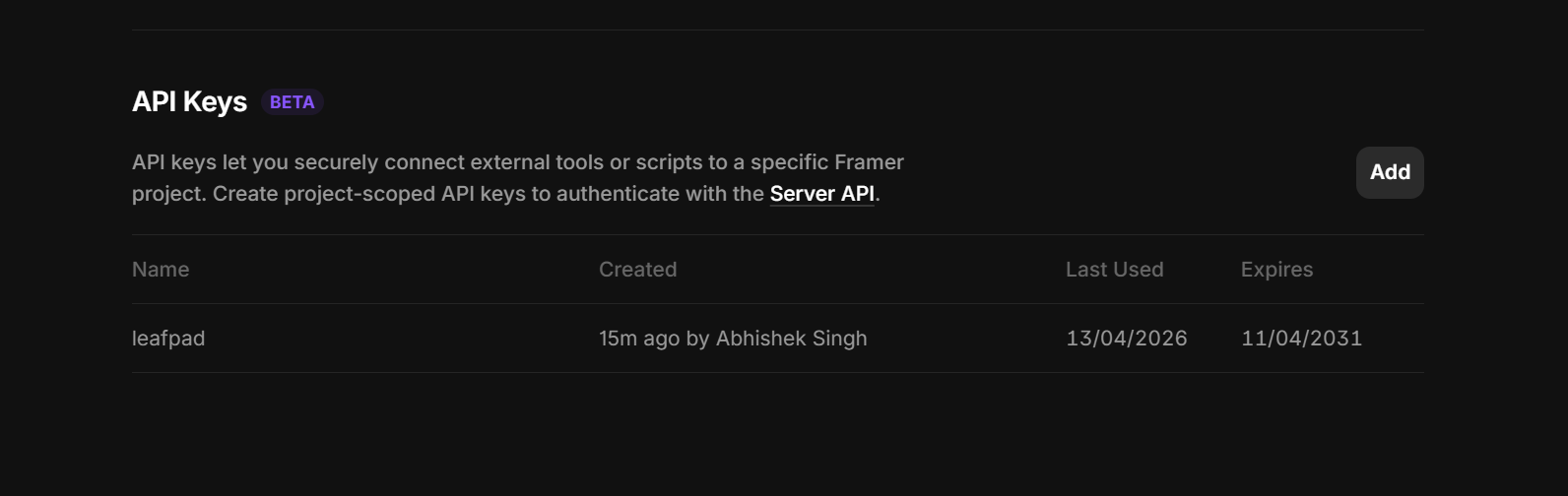
A Framer API key (generated by going in your Site Setting -> General and scroll to bottom and check for API keys)
Your Framer project URL (e.g.
https://your-project.framer.app)
Setting Up the Integration
In side nav click Integrations → Apps and click Framer.
Enter your Project URL and API Key.
Click Load Collections to fetch the collections from your project.
Select the target Collection where posts should be synced.
Map your LeafPad fields to the corresponding Framer CMS fields using the field mapping table.
Click Save to store the configuration.
Field Mapping
LeafPad exposes the following fields that can be mapped to any Framer CMS field:
LeafPad Field | Description |
|---|---|
| Post title |
| Full post HTML content |
| URL-friendly post slug |
| SEO / cover image URL |
| Publication date (ISO 8601) |
| SEO meta title |
| SEO meta description |
| Comma-separated list of tags |
Framer field types are detected automatically — you don't need to configure types manually.
Syncing Posts
Manual Sync
Click the Sync Now button on the Framer integration page to immediately push all published posts to Framer.
Automatic Sync (Cron)
The cron job runs every hour and syncs any posts updated in the last 3 hours automatically. No action is required after initial setup.
How Upserts Work
LeafPad uses the post slug as the unique identifier in Framer:
If an item with the same slug already exists in the collection, it is updated.
If no matching item is found, a new item is created.
This means re-running a sync is always safe — no duplicate entries will be created.
Supported Field Types
The integration supports all standard Framer CMS field types: string, number, boolean, formattedText (HTML), image, date, link, file, and enum. Unsupported field types are skipped automatically.
Troubleshooting
Collections not loading — Verify your Project URL and API Key are correct. The API key must have read/write access to CMS collections.
Fields not appearing — Make sure you have selected a collection first, then click Load Fields.
Sync errors — Check that the mapped Framer field types match the data format (e.g. don't map the
contentHTML field to a plainstringfield — useformattedTextinstead).