Automated blog publishing from every platform and every AI assistant
Leafpad writes, designs, optimizes, and publishes your post on the schedule you set. WordPress, Shopify, Ghost, Webflow, Framer, Lovable, and Bolt are one click. Claude, ChatGPT, Cursor, and VS Code are one prompt.
The problem
The last mile is where most blogs die
You can write a great post and still lose. You forgot the meta description. You uploaded the wrong featured image. You meant to publish on Tuesday and remembered Thursday. The Yoast plugin flagged something. The post is now in draft purgatory for six weeks.
Leafpad closes that gap. The post publishes the moment it is ready, formatted correctly, on the platform of your choice, with every SEO field filled in.
1
Missing meta description
2
Wrong featured image
3
Published a week late
4
Weeks in draft purgatory
Integrations
Every platform, one connection
WordPress
Full post body, featured image, meta title, meta description, alt text, internal links, schema, and category via the standard REST API.
Shopify
Direct to the blog inside your Shopify store, same fields.
Ghost
Native integration, full post with images and tags.
Webflow
Pushes to your CMS collection.
Framer
Direct to your Framer site CMS.
Lovable and Bolt
One prompt and your generated app's blog publishes Leafpad content.
Replit and Emergent
Same prompt-based publishing.
MCP connector
Publish from your AI assistant via MCP
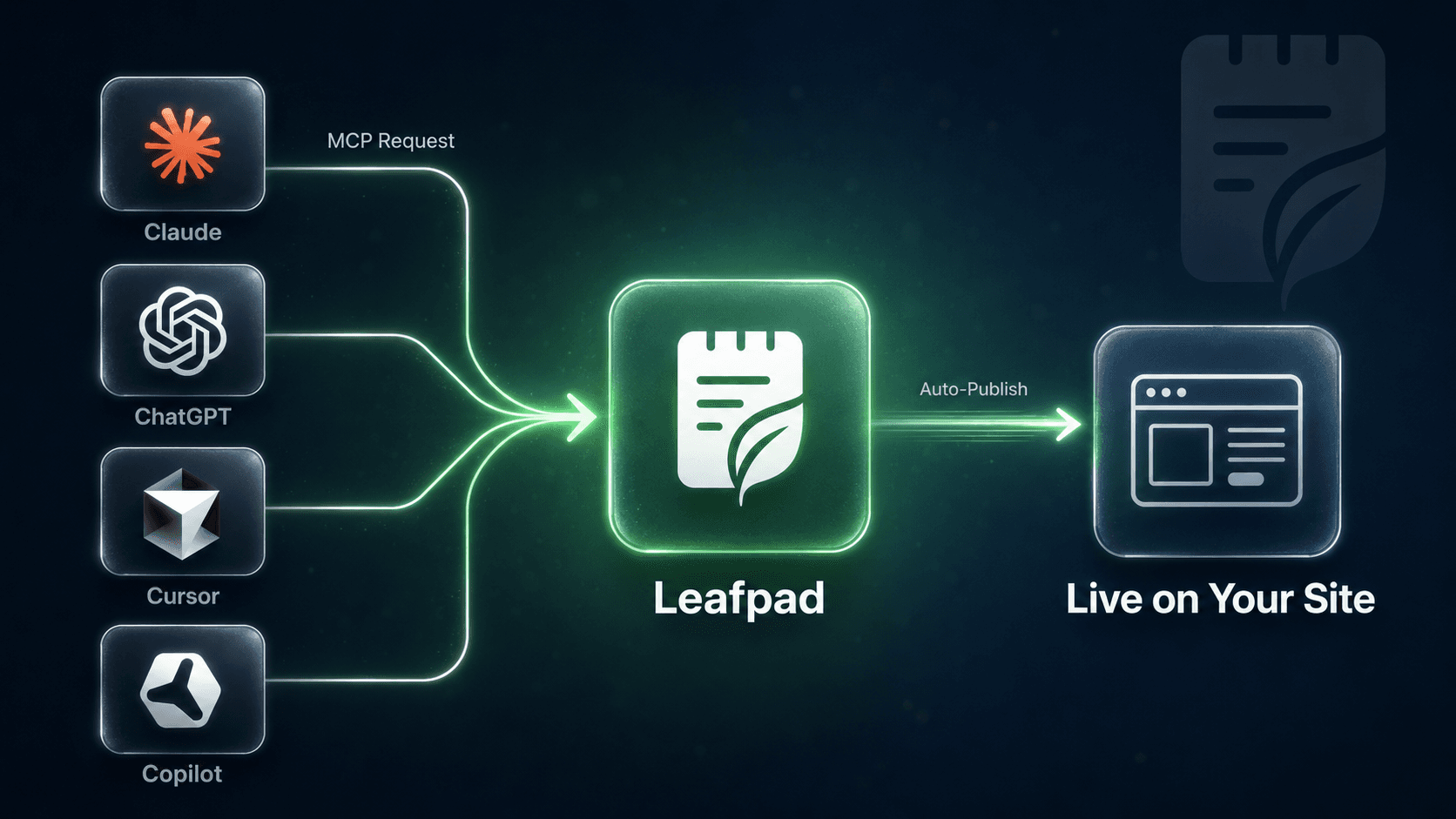
Leafpad ships an MCP connector. MCP (Model Context Protocol) is the open standard that lets AI assistants talk to outside tools. Claude, ChatGPT, Cursor, and VS Code can all trigger a Leafpad publish directly from the conversation or editor, with no copy-paste and no tab-switching.
Claude
Mid-research in Claude? Say "publish this as a Leafpad post to my Ghost site" and it is live in under 60 seconds. Leafpad's MCP connector is verified with Claude today.
ChatGPT
Same workflow inside ChatGPT. Ask it to publish, pick the target platform, and Leafpad handles formatting, images, schema, and push. No extra steps.
Cursor and VS Code
Building a product and writing docs or a dev blog alongside it? Trigger Leafpad publishing directly from your editor. Write in Cursor or VS Code, publish to your site without leaving the IDE.
Full setup instructions for all four assistants are in the Leafpad MCP docs.
Delivery
What ships with every post
- The full article body
- A featured image on-brand for your site
- 2 to 4 in-body images aligned to the post sections
- Meta title and meta description (under character limits)
- Image alt text for every image
- Article schema and Author Person schema
- Internal links to your existing posts
- FAQPage schema when an FAQ block is included
- Tags and categories matched to your existing taxonomy
Everything Google and AI engines need to crawl, index, and cite the post is in place at publish time.
You stay in control
Auto-publish without auto-pilot risk
Choose any mode and switch any time:
Require human approval on every post before it goes live
Auto-publish only posts above a quality score threshold — Leafpad scores every draft with an LLM-as-judge gate that checks it against the brief, the brand voice, heading structure, and the EEAT checklist
Auto-publish everything and review weekly
Roll back any post in one click
Publish your first post today
Set up takes minutes. Your first post can go live on any platform today.
FAQ
Frequently asked questions
Does Leafpad work with my existing WordPress theme?
Yes. Leafpad pushes content through the standard WordPress REST API, so your theme renders Leafpad posts exactly like any other post. Your fonts, layout, sidebars, and plugins all apply.
Which AI assistants support MCP publishing with Leafpad?
Claude, ChatGPT, Cursor, and VS Code all support MCP today. You can trigger a Leafpad publish from any of them without leaving the conversation or editor. See the Leafpad MCP docs for per-assistant setup instructions.
What if I want to edit a post before it publishes?
Turn on the approval requirement and every post lands in your draft queue. Edit anything, then click publish. You can also set a partial rule, like "require approval on posts under a quality score of 85."
How fast does a post actually go live?
From "approved" to "live on your site" is typically under 60 seconds, including image generation, schema injection, and internal link wiring.
What does the quality gate actually check?
The LLM-as-judge gate scores each post on accuracy against the brief, brand voice match, heading structure, presence of statistics and named sources, FAQ self-containment, internal link relevance, and image alt text. Posts under your threshold get rewritten before they publish.