"Google local SEO tools" refers to the four specific Google products Business Profile, Maps, Search Console, and Posts that control how your business shows up in local search. Each has its own description or snippet field. What you write there changes your click-through rates, your local pack rankings, and whether a searcher actually calls you.
Local visibility in 2026 isn't just about star ratings and NAP consistency anymore. Google's local algorithm actually parses the text inside these tools now. That means a rushed or keyword-stuffed description can cap your rankings silently. Getting the description right in each tool is one of the highest-leverage, lowest-cost tasks you have.
What Counts as a Google Local SEO Tool
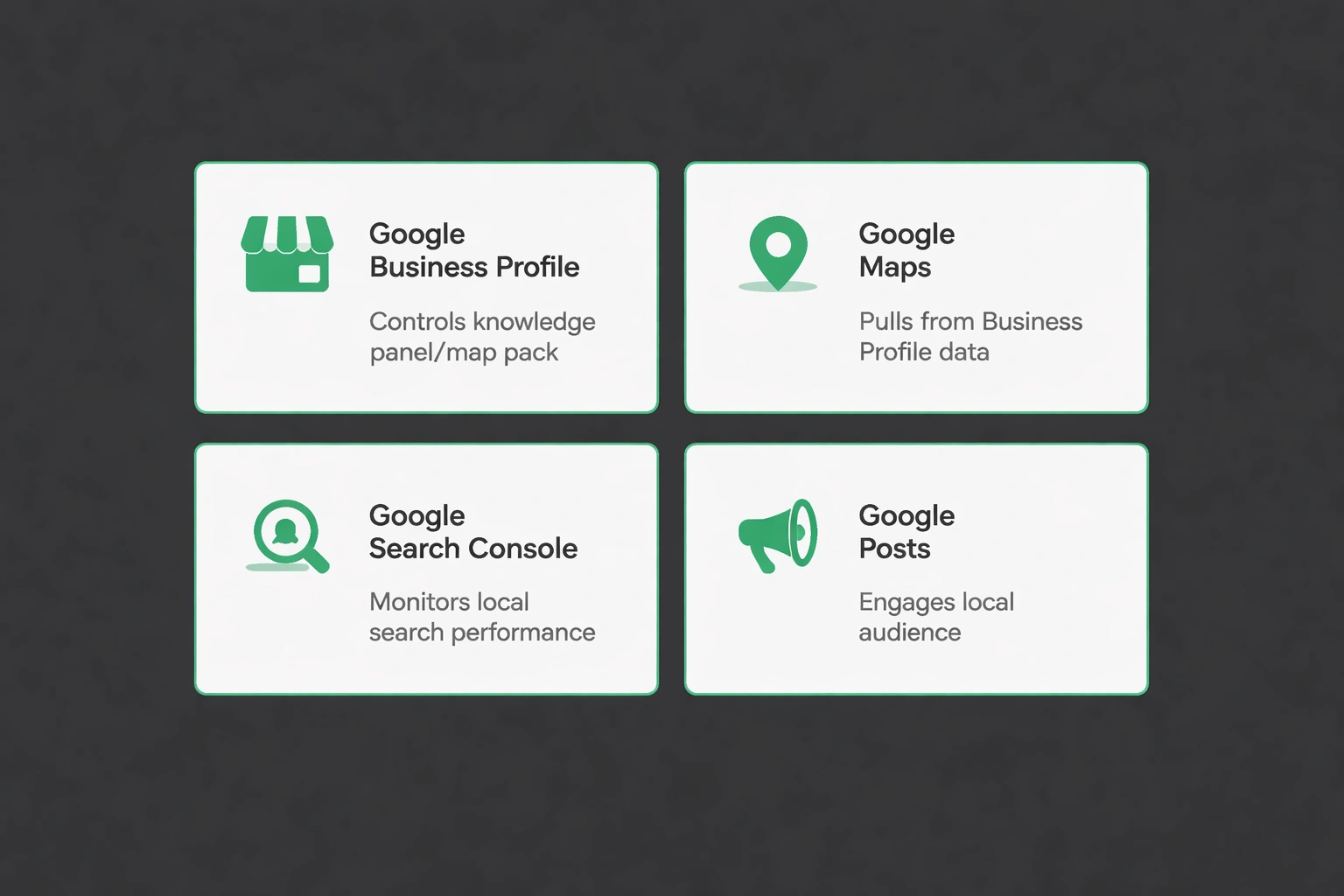
I don't mean third-party software when I say "Google local SEO tools." I mean the free, Google-owned platforms that directly shape local search visibility: Google Business Profile, Google Maps, Google Search Console, and Google Posts. Each tool feeds a different part of the local search experience, from the map pack to organic snippets.
A lot of business owners think "Google local SEO tools" means third-party software. They're wrong. The most powerful tools are the ones Google gives you. Google Business Profile controls your knowledge panel and map pack listing. Google Maps pulls from that same profile but displays it differently on mobile. Google Search Console shows how your website's local pages perform in organic search including which meta descriptions Google shows versus rewrites. Google Posts lets you push short, timely updates into your listing.
Stop treating these four tools as separate checkboxes. They're one connected system.
Why the SEO Description Field Matters So Much
The SEO description field is the text between your business name and the map pin. It's a mini sales pitch in under 300 characters, and it often decides whether a searcher clicks you or the competitor next to you.
Google doesn't always use the description you write. Search Console data shows Google rewrites meta descriptions on desktop over 60% of the time when they're vague or generic. But for local intent queries, Google leans harder on your exact text especially in Business Profile and Maps snippets. A tight, specific description lowers the odds of an automatic rewrite and keeps your message in front of searchers.
That's why description quality inside Google local SEO tools deserves the same attention as your blog's on-page copy. If you already follow structured writing habits from our SEO content writing basics guide, apply that same clarity mindset here.
Character Limits Across Google Local SEO Tools
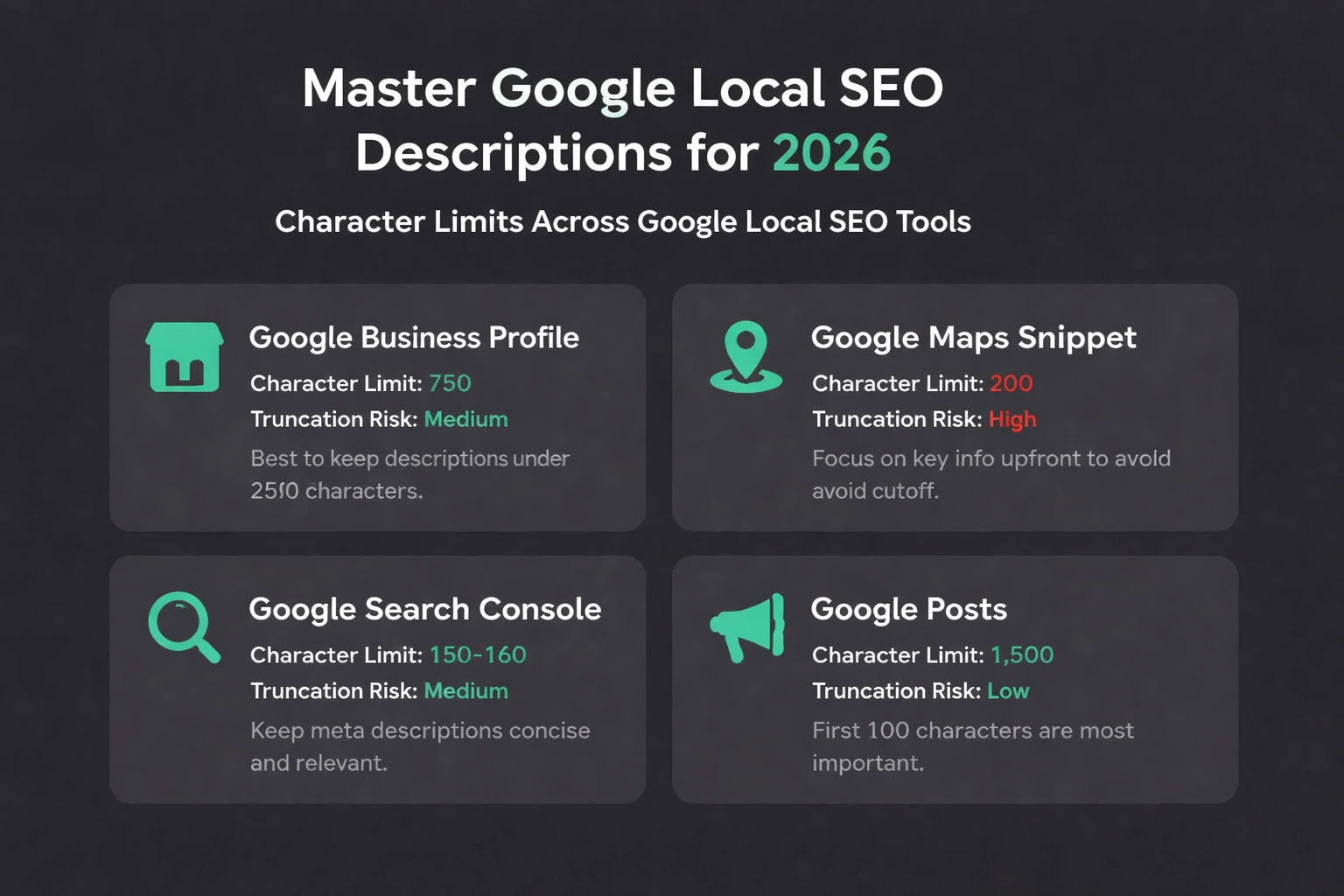
Each Google local SEO tool enforces different character limits. Go over them, and Google truncates your message mid-sentence.
| Tool | Description Field | Character Limit | Truncation Risk |
|---|---|---|---|
| Google Business Profile | "From the business" description | 750 characters | Low, but only first 250 shown by default |
| Google Maps | Snippet under listing name | ~100 characters visible | High on mobile |
| Google Search Console (organic) | Meta description | 155-160 characters | High if generic |
| Google Posts | Post summary | 1,500 characters | Medium |
Maps and mobile search punish long descriptions the hardest. Front-load your most important keyword and value proposition into the first 100 characters across every field. That's what most users see before they tap to expand.
How to Write Descriptions That Work Across All Four Tools
Write one master description and adapt it slightly for each tool. It's more efficient than starting from scratch. Start with a 100-character core sentence that includes your primary service and location, then extend it for tools with more room.
A strong core sentence looks like this: "Family-owned plumbing repair in Austin, TX, offering same-day emergency service since 2014." That sentence works almost unchanged in Google Maps. You can expand it with credentials, service areas, and calls to action for the longer Business Profile field. For Search Console-tracked meta descriptions on your website's local landing pages, run the sentence through a meta description generator to test length and keyword placement before publishing.
Avoid these mistakes when writing across Google local SEO tools:
- Keyword stuffing: Repeating "plumber Austin" three times reads as spam to users and Google's quality systems.
- Generic openers: "We are a company that…" wastes the most valuable character real estate you have.
- Ignoring mobile truncation: Testing only on desktop hides how badly a description gets cut on Maps mobile results.
- Copy-pasting the same text everywhere: Google can flag near-duplicate content across your website and profile as low-effort.
- Forgetting a call to action: Even a short "Book online in 2 minutes" improves click-through meaningfully.
Auditing Your Existing Descriptions
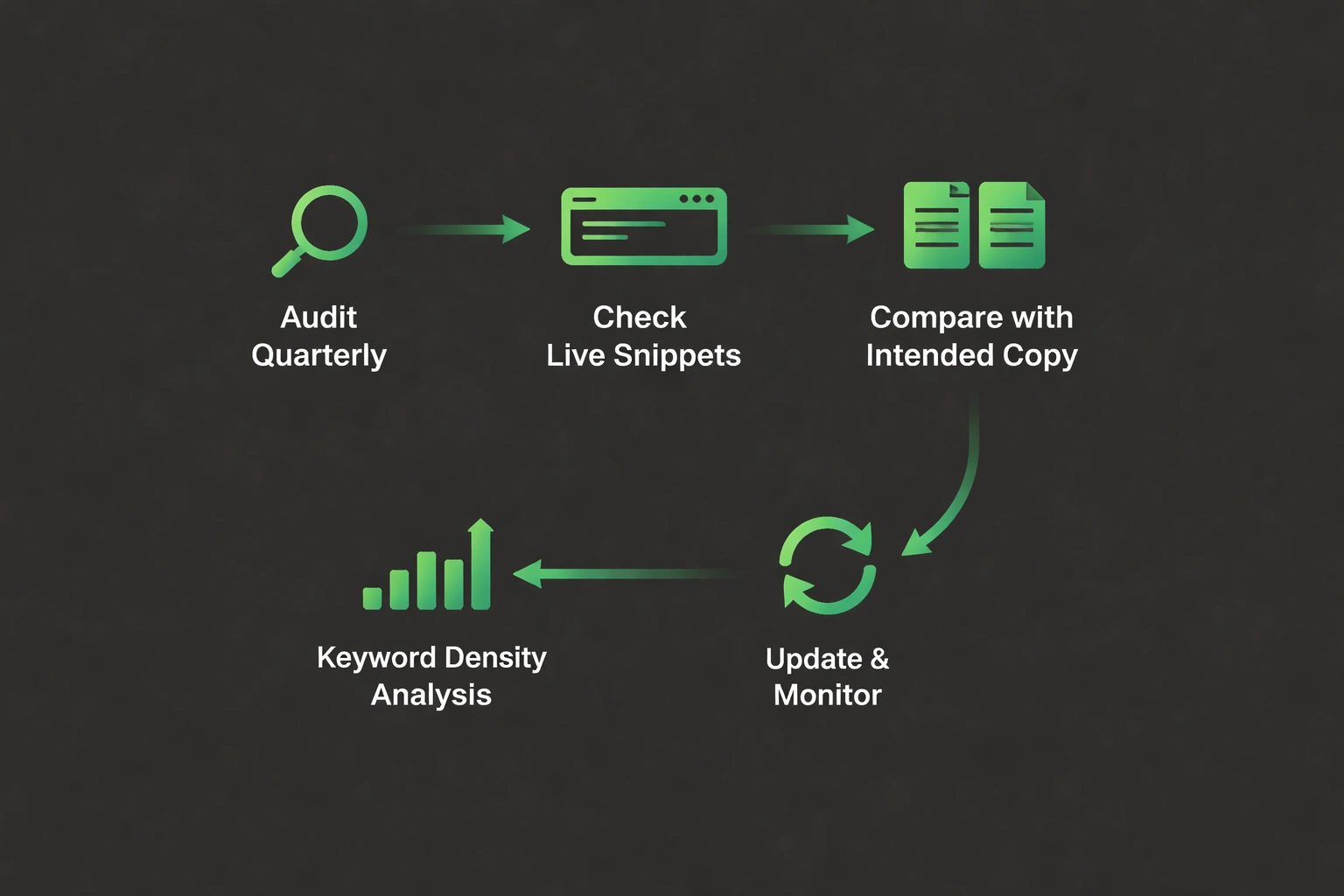
Audit your existing descriptions across Google local SEO tools quarterly. Google occasionally rewrites snippets after algorithm updates. A quick audit catches truncation issues, outdated info, and missed keyword opportunities before they cost you clicks.
Pull your current live snippets directly from search results, not your dashboard. Dashboards often show the unedited version rather than what's displayed. Compare that against your intended copy. Run the current text through a keyword density analyzer to confirm you haven't drifted into keyword stuffing or complete keyword absence. Check Search Console's performance reports to see which local pages have low click-through rates despite decent impressions. That's a strong signal the description isn't pulling its weight.
If you manage several locations, this audit multiplies quickly. Build a repeatable checklist. The systems in our SEO content development guide keep quality consistent without reinventing the process every quarter.
Connecting Local Descriptions to Your Broader Content Strategy
Local descriptions shouldn't exist in isolation. The tone, keywords, and value propositions in your Google Business Profile description should echo what's on your website's local landing pages and blog content.
If your Business Profile promises "24/7 emergency service" but your website's local page never mentions availability hours, that inconsistency hurts user trust and can suppress rankings over time. Keep your content calendar updated so seasonal changes like holiday hours or new service areas get reflected across every tool simultaneously, not weeks apart.
The copywriting principles in our modern SEO copywriting guidelines help ensure the voice across Business Profile, Maps, and your website feels like one cohesive brand rather than disconnected fragments.
Tools That Speed Up the Process
Writing dozens of location-specific descriptions by hand doesn't scale well for multi-location businesses. Several tools inside the LeafPad ecosystem help generate, test, and refine descriptions faster without sacrificing quality.
The SEO title generator pairs well with description writing. Titles and descriptions need to work together rather than repeat the same phrasing. The snippet generator previews exactly how your text will truncate across devices before you publish anything live. For businesses managing keyword targeting across many locations, automated keyword research helps identify which local terms deserve priority placement in the first 100 characters. If you want a starting draft rather than a blank page, the AI blog generator can produce location-specific copy that you refine rather than write from zero.
For a broader look at free options before committing to paid software, our free AI SEO tools roundup covers additional utilities worth testing alongside your Google local SEO tools workflow.
Bringing It All Together
Google local SEO tools reward businesses that treat description writing as a craft rather than an afterthought. Small, consistent improvements to the text inside Business Profile, Maps, Search Console, and Posts compound into meaningfully better click-through rates and local rankings over time.
Start with one core sentence, adapt it across each tool's character limits, audit quarterly, and keep the messaging aligned with your broader website content. For a deeper foundation on writing techniques that support this work, revisit the full SEO Text Tools 2026 guide, which ties description writing back into the larger content optimization system.
Published with LeafPad