An SEO CMS is a content management system with search tools baked in. You get keyword suggestions, meta tag automation, and readability scoring without installing plugins. It takes the technical guesswork out of ranking your first post.
Picking a CMS is a bigger decision than people realize. The platform decides whether you spend hours wrestling with plugins or minutes publishing. Get this wrong, and you'll end up rebuilding your entire setup later.
What actually makes a CMS "SEO-friendly"
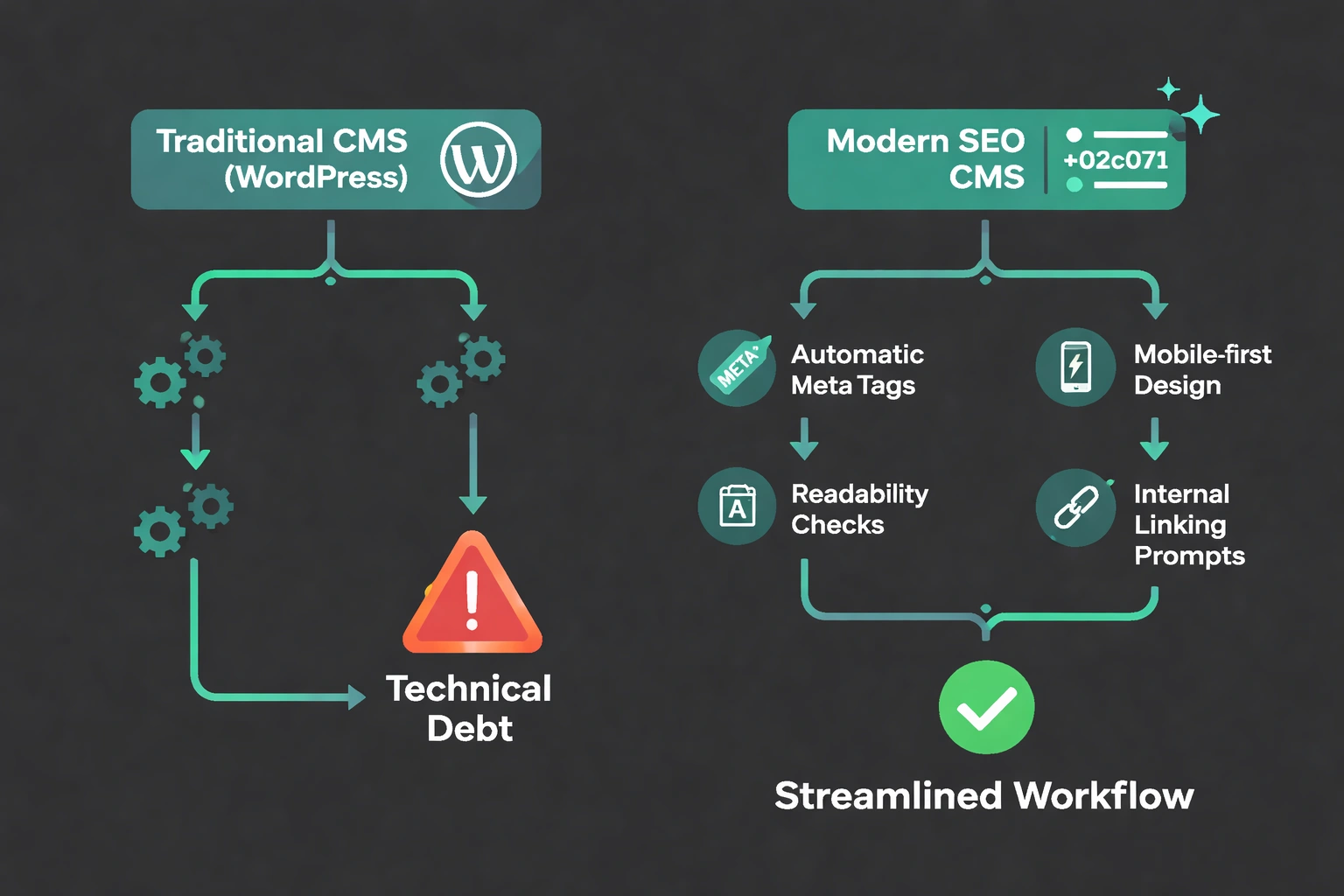
An SEO-friendly CMS handles the technical stuff automatically. Clean URLs, fast loads, mobile layouts, meta tags. You shouldn't need to touch code or hunt down third-party tools.
Traditional platforms like WordPress need plugins for basic SEO. One for meta descriptions. Another for sitemaps. A third for schema markup. It works, but each plugin adds weight and another point of failure.
Modern SEO CMS platforms put everything in one place:
- Automatic meta descriptions
- Heading structure suggestions
- Real-time readability checks
- Internal linking prompts
- Mobile-first templates
This matters for beginners. You're not jumping between five tools trying to remember which setting lives where. If you want the writing fundamentals before picking a platform, Understanding SEO Writing: Clarity & Strategy for Beginners covers the basics.
Why traditional setups trip people up
Traditional CMS platforms scatter SEO features across plugins, themes, and manual settings. Each piece has its own learning curve. Worse, plugins conflict with each other and break things without warning. You end up troubleshooting instead of writing.
Think about a typical WordPress install. You set up Yoast for SEO. You add a caching plugin for speed. You find a tool for schema markup. Then your theme updates and something breaks.
Three problems show up constantly:
- Time drain. Hours lost to configuration.
- Technical debt. Conflicts that need a developer to fix.
- Mixed signals. Different tools giving contradictory advice.
The difference is clear in practice:
| Task | Traditional CMS + Plugins | Integrated SEO CMS |
|---|---|---|
| Meta description | Manual plugin config | Auto-generated |
| Keyword optimization | Separate plugin | Built into editor |
| Site speed | Caching plugin needed | Native optimization |
| Schema markup | Third-party tool | Automatic |
| Maintenance | Constant updates | Platform handles it |
Most beginners just want to write. They don't want to manage a tech stack.
What to actually look for
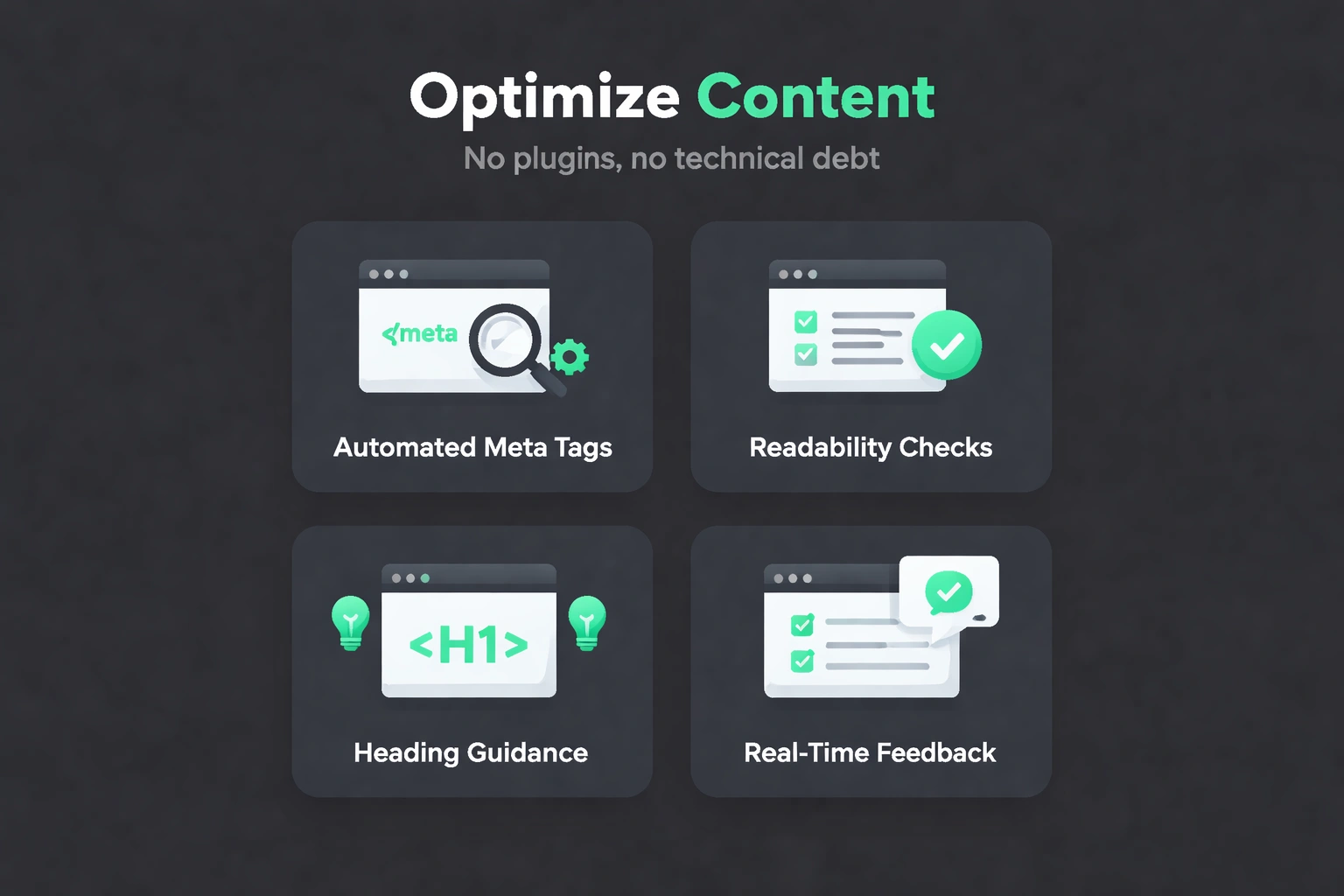
Look for platforms that give you feedback while you write, not after you hit publish. Automated meta tags. Readability checks. Heading guidance. These catch problems before they go live.
The gap between beginner content and optimized content is usually small details. A missing meta description. A skipped H2. Keywords crammed in where they don't fit.
A few things actually help:
The editor should flag missing keywords in your title or headings as you type. Not after you've already published.
Search engines like scannable content. A good CMS points out when your sentences run long or paragraphs get dense.
Meta descriptions get forgotten constantly. Platforms that generate them automatically close that gap.
New bloggers almost never link their posts together. A system that prompts you to add internal links builds a good habit from the start.
Many beginners skip straight from H1 to paragraph text. That hurts readability and search visibility both.
If you're figuring out how to structure posts correctly, SEO Content Writing Basics 2026: Structure & Clarity goes deeper on heading hierarchy.
Mistakes a good CMS catches early
The same SEO errors show up constantly: missing meta descriptions, blank alt text, awkward keyword stuffing. A decent CMS flags these during the draft.
Keyword stuffing is the big one. New writers assume more mentions mean better rankings. They don't. It reads badly and can get you penalized. Real-time density feedback fixes this instinct.
Alt text is easy to skip. It helps search engines read images and makes your site accessible. Beginners forget it because it's one more field to fill in.
Thin content shows up a lot. Three hundred words feels done when you're starting out. Platforms that suggest length targets help calibrate expectations.
Standalone posts with no internal links miss opportunities. Search engines crawl links to understand your site's structure.
URLs full of random characters confuse everyone. Clean permalinks, generated automatically, fix that behind the scenes.
You can test these basics with free tools like the keyword density analyzer or permalink generator before committing to a platform.
How to evaluate a platform
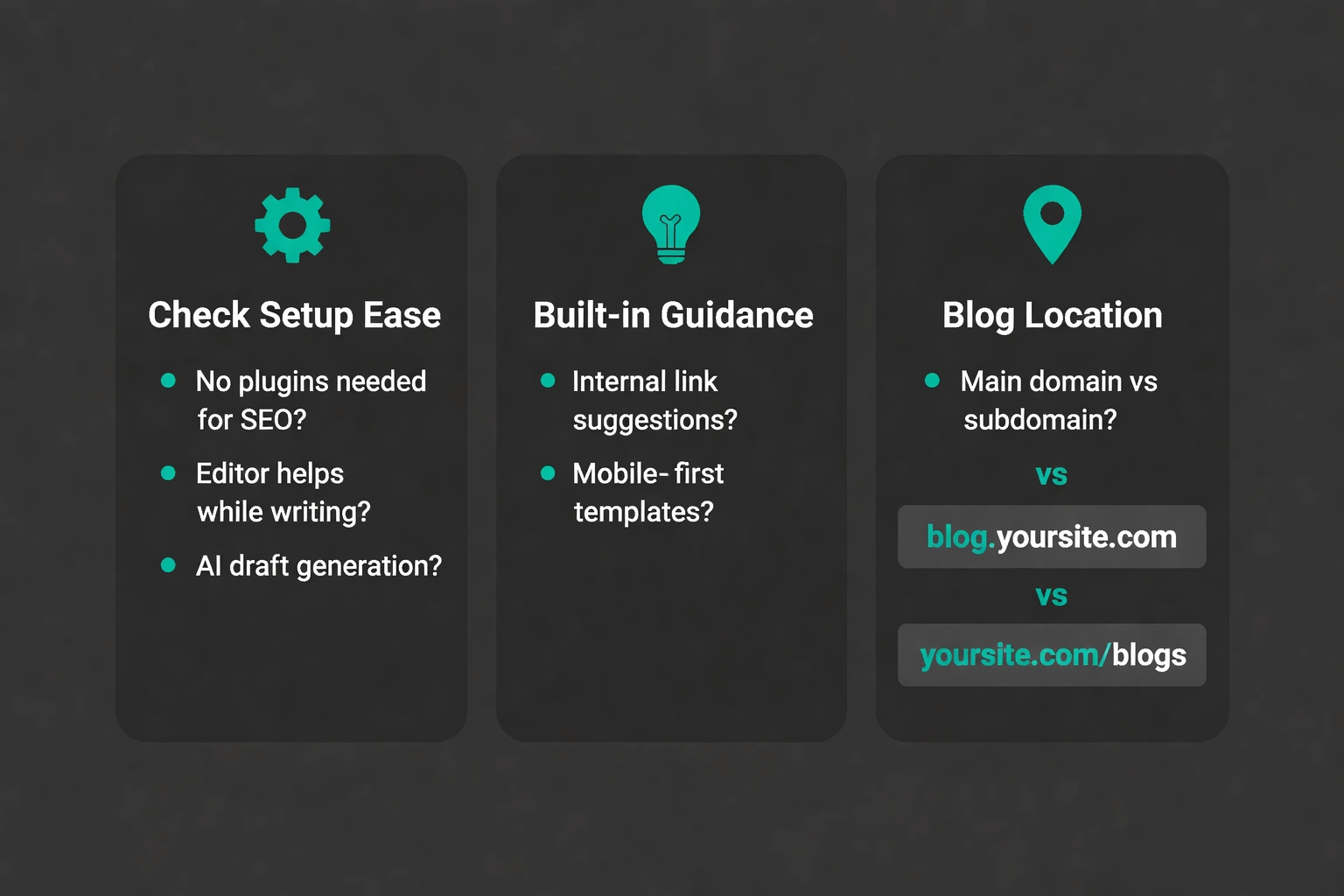
Check three things: setup ease, built-in guidance, and where your blog lives. If a platform forces your blog onto a subdomain, it splits your SEO authority. That hurts long-term.
Ask these questions before you sign up:
- Do I need plugins for basic SEO?
- Does the editor help me while I write?
- Is the blog on the main domain or a subdomain?
- Can I generate an AI draft if I get stuck?
- Does it suggest internal links?
The subdomain thing trips people up. blog.yoursite.com and yoursite.com are technically separate in Google's eyes. A /blogs path on your main domain keeps authority in one place.
If you want to try AI-assisted drafting, the AI blog generator can spin up a structured first draft. You then refine it with the readability and keyword tools.
A simple workflow to start
Pick a topic. Draft with guidance. Check readability. Add internal links. Publish. That loop removes the mental overhead and builds a habit.
Here's a practical sequence:
- Pick one keyword per post. Don't chase five at once.
- Write with the editor's suggestions visible.
- Check readability. Simplify what scores poorly.
- Link to two or three related posts.
- Check the meta description summarizes things clearly.
Consistency beats perfection here. Beginners who publish regularly, even if it's rough, do better than those who spend weeks polishing one piece.
The meta description generator and SEO title generator can speed up the final steps while you're building confidence.
Final thoughts
Your CMS choice shapes everything that follows. Pick a platform with built-in guidance and you skip months of trial and error. The right setup makes publishing feel sustainable, not like a chore.
Keep it simple. One keyword per post. Use the feedback tools. Link your stuff together early. For more on building a system that scales, SEO Content Development 2026: Building a Repeatable System is worth a read.
If you want to see how an integrated approach looks in practice, check out LeafPad's features or browse the blog hub for more beginner guides.
Published with LeafPad