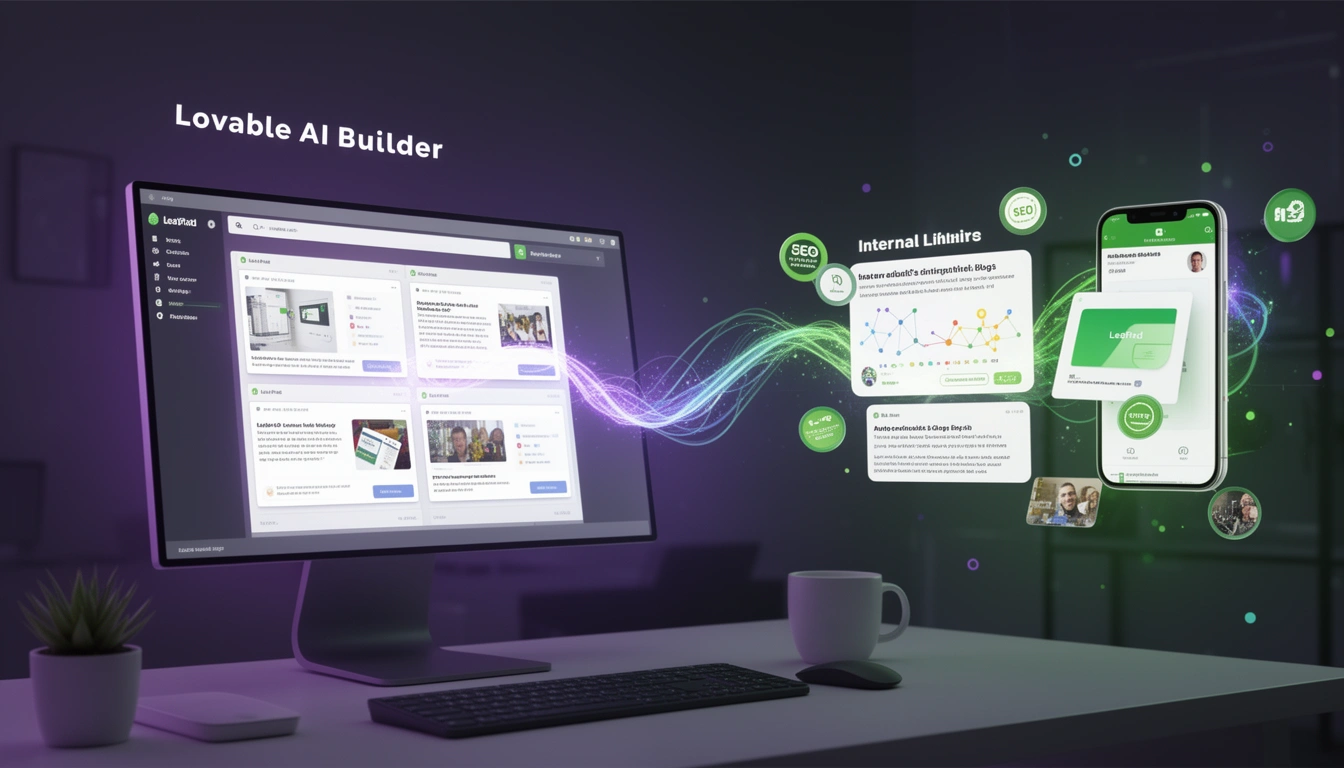
The rise of AI-powered app builders like Lovable, Bolt, v0, and Replit has democratized software development. But there's a critical gap: most vibe-coded apps still ship without content infrastructure. You can build a working SaaS in minutes, but adding a blog that drives organic traffic has traditionally meant hours of setup, custom code, and ongoing maintenance.
Enter LeafPad — a headless CMS built specifically for AI-generated applications. Think of it as a plug-and-play content layer: drop in one prompt, and you get a fully functional, SEO-optimized blog that lives on your main domain instead of a disconnected subdomain.
What's Changed in This Guide (Last Updated August 31, 2026)
This guide was last updated on August 31, 2026 to reflect how LeafPad integrates with the current generation of AI builders. Lovable, Bolt, and v0 remain the primary targets, and Replit and Cursor-based projects now use the same one-prompt integration pattern as the others. We've also removed setup steps tied to older API versions and tightened the comparison sections so they match how these builders generate routes and wire up API connections today, rather than how they worked when this guide first went live.
What Is the Content Gap in Vibe-Coded Apps?
Vibe-coded apps ship with UI, authentication, and core features instantly — but no content. Search engines don't index features, they index content, so without a blog, your app stays invisible to Google, ChatGPT search, and AI Overviews no matter how polished the product itself is.
Founders who want a blog on a Lovable or Bolt app have historically had to choose between:
- Setting up WordPress or Ghost on a subdomain, which splits SEO authority away from the main app
- Building a custom MDX blog, which means ongoing developer time and maintenance
- Integrating a generic headless CMS like Contentful or Sanity, which requires real API and schema work
- Manually handling image hosting, meta tags, sitemaps, and internal linking
For founders shipping fast with AI builders, that friction is usually enough to make the blog get skipped entirely — which means the app never captures the long-tail, question-based searches a blog is built to catch. This is the same gap covered in LeafPad's guide on adding a blog without the technical headache, and it applies just as directly to apps built with AI tools as it does to hand-coded ones.
How Do You Add a Blog to a Lovable, Bolt, or v0 App?
LeafPad's integration is designed to take minutes, not days. The process has four steps:
Step 1: Generate your integration prompt.
Inside LeafPad's dashboard, open the integrations section and copy the auto-generated prompt. It already contains your API key and blog configuration, so there's nothing to fill in manually.
Step 2: Paste it into your AI builder.
In Lovable, Bolt, or v0, paste the prompt into the chat interface. The builder adds the blog routes, wires up the API connection, and generates the rendering logic for post lists and single-post pages.
Step 3: Customize the design (optional).
LeafPad inherits your app's existing design tokens — fonts, colors, spacing — by default. If you want adjustments, you prompt for them directly: "Make blog cards have rounded corners" or "Add author bios to posts" both work as plain-language requests.
Step 4: Start publishing.
Write content in LeafPad's Notion-style editor, or use AI generation to produce a first draft. Everything publishes to yourapp.com/blogs — no subdomains, no separate deploy pipeline, and no rebuild of your app required.
Common Setup Issues and How to Fix Them
Most integration problems come down to three things, and all three are fixable with another prompt rather than custom code:
- Routes don't appear after pasting the prompt. Some builders cache the route tree from a previous session — restart the dev preview or ask the builder to "regenerate the blog routes"
- Styles don't inherit correctly. This usually means the design tokens weren't detected on the first pass. Prompt again with something explicit, like "match the blog layout to my app's existing theme and spacing"
- Custom domain or subpath doesn't resolve. On Replit especially, you may need a follow-up prompt asking the builder to explicitly route
/blogsto LeafPad's API rather than assuming it inherits automatically
How Is LeafPad Different From a Traditional Headless CMS?
Unlike Contentful, Sanity, or Strapi, LeafPad is purpose-built for blog SEO, not generic content modeling. That focus shows up in five places:
Automatic SEO optimization. Every post gets an AI-generated meta description, keyword suggestions, a readability score, and heading structure feedback before it goes live — no separate SEO plugin needed.
Intelligent internal linking. LeafPad's algorithm scans your existing posts and suggests relevant internal links as you write, which compounds domain authority across your whole site rather than leaving posts as isolated pages. If you want the mechanics behind this, LeafPad's guide to automatic internal linking covers why automated linking tends to outperform manual link-building. It's a similar idea to how tools like deep linking infrastructure connects app experiences.
Built-in image hosting and optimization. Upload an image once and LeafPad handles CDN delivery, responsive sizing, and alt text suggestions — no separate Cloudinary or Imgix setup.
Programmatic content collections. Need dozens of location- or industry-specific pages that share structure but read as handcrafted? Build one template, define the variables, and publish the set at scale.
Real-time publishing. There's no build queue. Hit publish and the post is live immediately, with sitemap updates and search engine pings handled automatically — the same mechanics covered in LeafPad's real-time indexing guide, which matters more for a fast-moving vibe-coded app than for a slower-moving legacy site.
Why Do AI-Built Apps Need Blog-First Content Architecture?
Search engines and AI answer engines both favor sites with fresh, structured, topically deep content. Google's AI Overviews, ChatGPT search, and Perplexity don't just crawl pages — they weigh context, citations, and topical authority when deciding what to surface, often pulling specific passages rather than whole pages, which is why passage-level structure matters more now than it did a couple of years ago.
An app with a strong UI but no content has nothing for these systems to cite. That shows up as missed visibility in:
- Google's AI-generated answer boxes and featured snippets
- ChatGPT search results and other AI-assisted discovery surfaces
- Perplexity's cited sources
- Long-tail, question-based searches that tend to convert into signups
Adding a blog is also one of the more reliable ways to build the kind of content that gets featured by AI systems rather than just crawled and ignored, and structuring that content deliberately — the way LeafPad's blog architecture for AI discovery guide describes — makes it more likely to get cited rather than skipped. LeafPad exists to give a vibe-coded app that content infrastructure without adding engineering overhead to the team that just shipped the product.
Real-World Example: Adding a Blog to a Lovable-Built App
Say you built a link management tool with Lovable — similar to our customer Smler — and you want to rank for terms like "QR code generator" and "short link analytics." Here's the sequence:
- Copy the integration prompt from LeafPad
- Paste it into Lovable: "Add LeafPad blog to my app"
- Lovable generates the routes, fetches posts via the API, and matches your existing design
- In LeafPad, publish posts like "Free QR Code Generator" and "QR Code Tracking"
- LeafPad automatically links to your QR tool page and analytics features
The result is an app that ranks for high-intent keywords, drives organic signups from search, and builds domain authority — all managed from a single dashboard rather than a separate CMS stack.
Which AI App Builders Does LeafPad Support?
LeafPad's one-prompt integration works across the current generation of AI builders, not just Lovable. Each has its own prompt pattern and setup nuances:
| Builder | Integration pattern | Notes |
|---|---|---|
| Lovable | One prompt paste in chat | Blog routes and design inheritance happen in a single step |
| Bolt | Same prompt-and-paste pattern | See the dedicated guide to integrating blogs in Bolt for exact prompt phrasing |
| v0 | Prompt plus a component review pass | Good for teams that want tighter control over styling before wiring up the API |
| Replit | One prompt, hosted directly on Replit | The Replit integration guide walks through the specific routing setup |
| Cursor | Prompt plus manual code review | Useful when a founder wants to review generated integration code line by line before shipping |
Across all five, the underlying mechanism is the same: LeafPad's API and prompt handle routing and data fetching, while your builder's existing design system stays intact.
How Much Design Control Do You Get With LeafPad?
Because LeafPad integrates at the component level rather than through iframe embeds, you keep full design control:
- Inherits app styles: automatically matches your Tailwind config, CSS variables, or design system
- Prompt-based customization: "Add tags below titles" or "Show a related-posts sidebar" work as direct requests
- Responsive by default: blog layouts work on mobile without extra code
- No theme lock-in: you can change designs at any point without migrating content
This is a meaningfully different experience from WordPress, where themes are rigid, or Ghost, where deeper customization usually still needs code. It's also different from generic component libraries, where you'd need to hand-build post lists, pagination, and single-post templates from scratch before you ever touch styling.
How Do You Migrate an Existing Blog Into a Vibe-Coded App?
You can move an existing WordPress, Ghost, or Webflow blog into a Lovable or Bolt app without losing your current rankings, as long as you preserve URLs and redirect old paths to the new /blogs structure. This matters for founders who rebuilt their marketing site or app in an AI builder but already had content earning search traffic elsewhere.
The general sequence looks like this:
- Export existing post content, slugs, and metadata from the old platform
- Import posts into LeafPad, keeping the original slugs wherever possible
- Set up 301 redirects from the old URLs (subdomain or old CMS paths) to the new
/blogspaths - Update your sitemap and resubmit it in Search Console once the new paths are live
Because the goal is to avoid a traffic dip during the switch, it's worth following a structured process rather than doing it ad hoc — LeafPad's zero-downtime blog migration guide covers the redirect mapping and sequencing in more detail if you're moving an established blog rather than starting fresh.
How Does LeafPad Compare to WordPress, Ghost, and Contentful?
| Approach | SEO impact | Setup effort | Ongoing maintenance |
|---|---|---|---|
| WordPress / Ghost (subdomain) | Splits domain authority | Moderate | Themes, plugins, security updates |
| Generic headless CMS (Contentful, Sanity) | Neutral — no built-in SEO automation | High (API integration) | Manual image and metadata handling |
LeafPad on /blogs | Compounds authority on your main domain | One prompt | Automated SEO, linking, and image handling |
For a deeper look at how this compares to running WordPress alongside an app, see LeafPad's WordPress alternative comparison. The short version: subdomain blogs and unmanaged headless setups both leave SEO work for a human to do manually, which is exactly the overhead vibe-coded apps are trying to avoid.
What Does LeafPad Cost in 2026?
LeafPad's pricing is built to match how AI builders let founders move — start free, and pay only once the content operation grows:
- Free plan: a limited number of posts and one blog, with automatic SEO included from the first post
- Starter plan: unlimited posts, AI content generation, and custom domain support
- Pro plan: multi-blog management, programmatic SEO collections, and team workflows
There are no hosting fees, no plugin costs, and no separate CDN bill. Exact plan limits and prices are the numbers most likely to change between updates to this guide, so check LeafPad's current pricing page directly rather than relying on figures from an older post or a cached search result.
Why Is LeafPad a Strong Fit for AI-Built Apps?
Vibe-coded apps benefit from content infrastructure that moves at the same speed as the rest of the build. LeafPad's case for that rests on five points:
- Zero setup friction: one prompt versus hours of CMS configuration
- SEO on autopilot: automatic optimization instead of manual keyword research
- Design coherence: the blog inherits your app's styling instead of looking like a bolted-on theme
- Content velocity: AI generation and templates instead of blank-page syndrome
- Domain authority: posts live on your main domain's
/blogspath instead of a subdomain that splits signals
For founders building with Lovable, Bolt, v0, Replit, or Cursor, LeafPad is designed to be the piece that turns shipping fast into ranking fast.
Getting Started: From Vibe-Coded App to Traffic Engine
- Sign up at leafpad.io
- Navigate to integrations and copy your prompt
- Paste it into your AI builder — Lovable, Bolt, v0, Replit, or Cursor
- Customize the design through prompts if needed
- Start publishing SEO-optimized content
Your app deserves the same velocity for content that it already has for features. LeafPad is built to make that possible without developers, deploy pipelines, or SEO guesswork.
FAQ: Adding a Blog to a Lovable or Vibe-Coded App
Can I add a blog to a Lovable app without writing code?
Yes. LeafPad's integration works by pasting a single generated prompt into Lovable's chat interface, which wires up the routes and API connection automatically. No manual coding or deploy step is required.
Will a LeafPad blog hurt my app's SEO by living on a subdomain?
No — LeafPad publishes to your main domain's /blogs path rather than a subdomain, so the content contributes to your primary domain's authority instead of splitting it across two properties.
Does LeafPad work with Bolt and v0, or only Lovable?
LeafPad supports Lovable, Bolt, v0, Replit, and Cursor with the same one-prompt pattern, each with builder-specific prompt phrasing covered in LeafPad's integration guides.
What's the best blog CMS for a Lovable app in 2026?
For most Lovable apps, a CMS that integrates via a single prompt and publishes to the main domain — rather than a subdomain or a generic headless setup — is the better fit. LeafPad is built specifically for that pattern, which is why it's the option most vibe-coded teams reach for first.
Can AI search tools like ChatGPT and Perplexity find content published through LeafPad?
Yes. Posts publish instantly with sitemap updates and structured headings, which gives AI answer engines clear passages to cite. Structuring content this way matters more for discoverability now than traditional keyword density alone.
Do I need a separate SEO plugin after integrating LeafPad?
No. Meta descriptions, keyword suggestions, readability scoring, and internal linking are handled automatically inside LeafPad, so there's no separate SEO plugin or tool to configure.
What happens to my blog content if I redesign my app?
Content is stored independently of your app's front end, so redesigns don't require migrating posts. LeafPad's design inheritance simply re-applies to the new styling.