
Most people set up Google Search Console once, check the top 10 rows, and never look back. That glance misses almost everything useful. Buried in the export you'll find pages stuck at positions 11–20 that need one push to break through, queries with thousands of impressions but a pathetic 0.8% CTR, and posts that were fine six months ago quietly sliding into obscurity.
Organic traffic rarely dies suddenly. It rots. A post slips from #4 to #9 to #14, and nobody notices because they're looking at a snapshot, not the trend line. You don't need a paid tool to catch this. You need one export, two prompts, and about twenty minutes a month.
Getting the data out
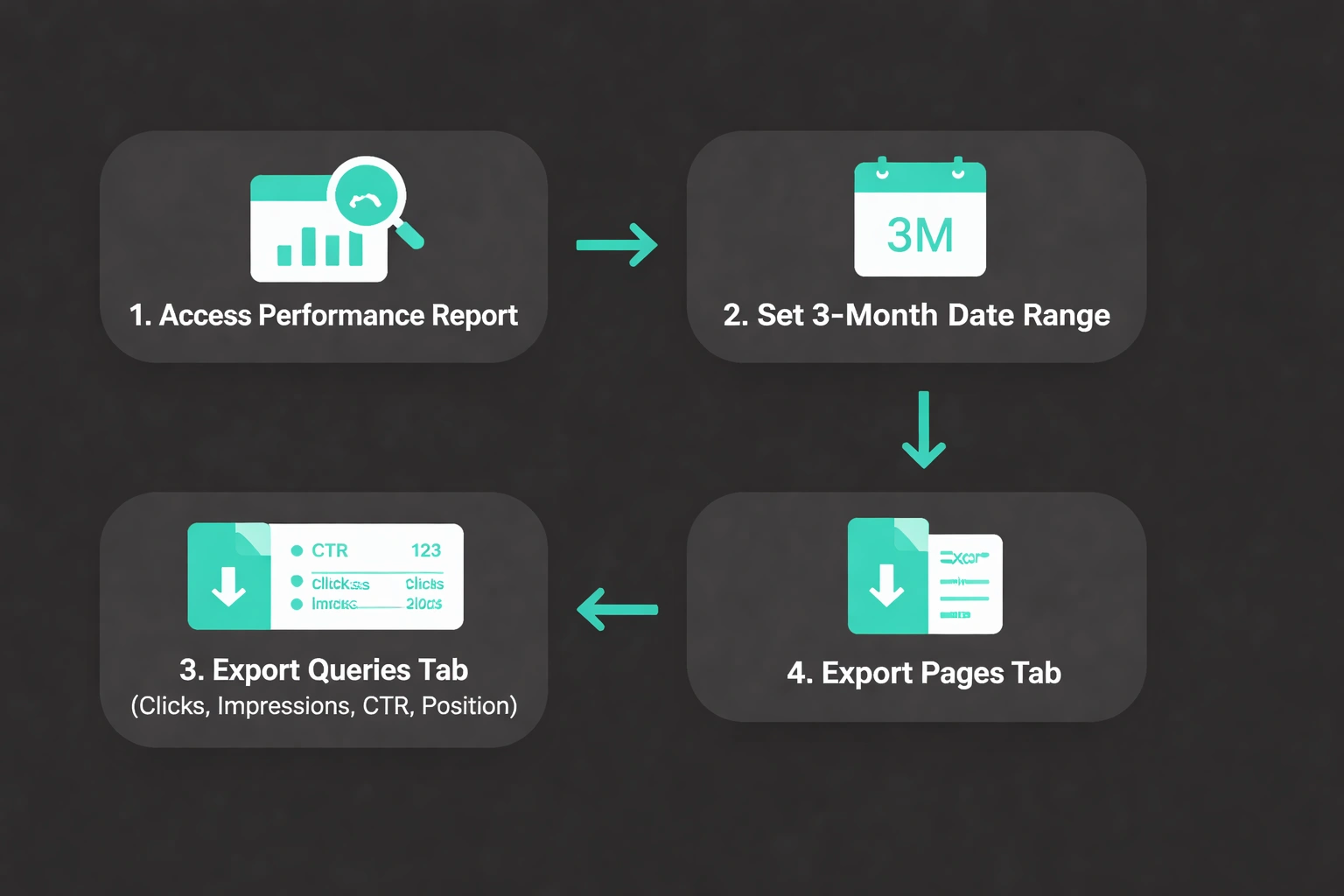
Start in the Performance report, not the Overview tab. Set the date range to the last 3 months. You want enough volume to see patterns without diluting the data with ancient history. Search Console's default 28-day window is usually too short to tell a real decline from normal noise.
You need two pulls. First, the Queries tab. Make sure Clicks, Impressions, CTR, and Position are toggled on, then export to Google Sheets or CSV. Second, do the same for the Pages tab. Don't try to combine them in your head yet. Queries tell you what people typed. Pages tell you what ranked. You need both because a query can look decent on impressions while the page serving it is weak, or a page can be strong overall while one specific query drags its average down.
Before you export, filter out anything with fewer than 10 impressions. Rows with 2 or 3 impressions are noise ignore them.
The columns you actually need:
Query or Page
Clicks
Impressions
CTR
Average Position
Ignore the rest.
Prompt 1: GSC Keyword Audit & Topic Cluster Builder
This prompt turns a raw 90-day Google Search Console export into a two-part SEO action plan, with the model acting as a strategist constrained to only the data in the file.
Layer 1 classifies every non-brand query by intent (informational/commercial/transactional) and bucket it into one of four opportunity types quick win (position 5–15), content gap, CTR fix, or defend then outputs a table sorted by opportunity size (impressions × relevance).
Layer 2 groups those same queries into 3–4 semantic topic clusters, each with a pillar keyword, a justification tied to aggregate impressions and Leafpad's business, and 4–5 child page briefs (working title, target + supporting keywords, current metrics or "new", intent, and a one-line writer-ready angle).
You are an SEO strategist analyzing Google Search Console data (last 90 days) for
Leafpad.io. Business context:
What Leafpad is: The refresh engine for your website  it finds ageing, underperforming pages and generates an SEO-optimized update you approve before it publishes.
Who it's for: Founders, lean teams, SaaS companies, D2C brands, and Shopify merchants who want organic traffic without dedicating resources to content.

I've attached the raw GSC export (queries, impressions, clicks, CTR, average position, and pages where available). Work only from this data — don't invent search volume or keywords that aren't in the export.
LAYER 1 — KEYWORD AUDIT
For every query that isn't pure brand/navigational noise, extract:
- Query, impressions, clicks, CTR, avg position
- Intent: informational / commercial / transactional
- Opportunity type:
  - Quick win: position 5–15 with meaningful impressions (content needs strengthening, not creating)
  - Content gap: relevant to the business but barely ranking or absent from top pages (needs a new page)
  - CTR fix: strong position but weak CTR relative to impressions (title/meta problem, not a content problem)
  - Defend: already top 3, meaningful clicks (protect and expand, don't rebuild)
Present this as a table, sorted by opportunity size (impressions × relevance), highest first.
LAYER 2 — TOPIC CLUSTERS
Group the keyword set into 3–4 parent clusters based on semantic overlap and relevance to the business — not just shared words. For each cluster give:
- Cluster name + primary pillar keyword
- Why this cluster: aggregate opportunity (total impressions/clicks it touches), the gap or momentum it's built on, and why it matters for this specific business
- 4–5 child pages, each with:
  - Working title
  - Target keyword + 2–3 supporting keywords from the export
  - Current metrics if they exist (impressions, clicks, position) — mark "new" if the keyword has no current ranking
  - Intent
  - Content angle in one line, specific enough to brief a writer without further clarification
RULES
- If the data can't support a 4th cluster without forcing it, give 3 and say so.
- Every keyword you place in a cluster must trace back to a row in the export — no filler keywords.
- Flag if a promising cluster has thin data (fewer than ~5 supporting queries), since that changes how much to invest in it upfront.
Output as clean markdown: Layer 1 table, then Layer 2 cluster breakdown. No summary paragraph, no generic SEO advice.
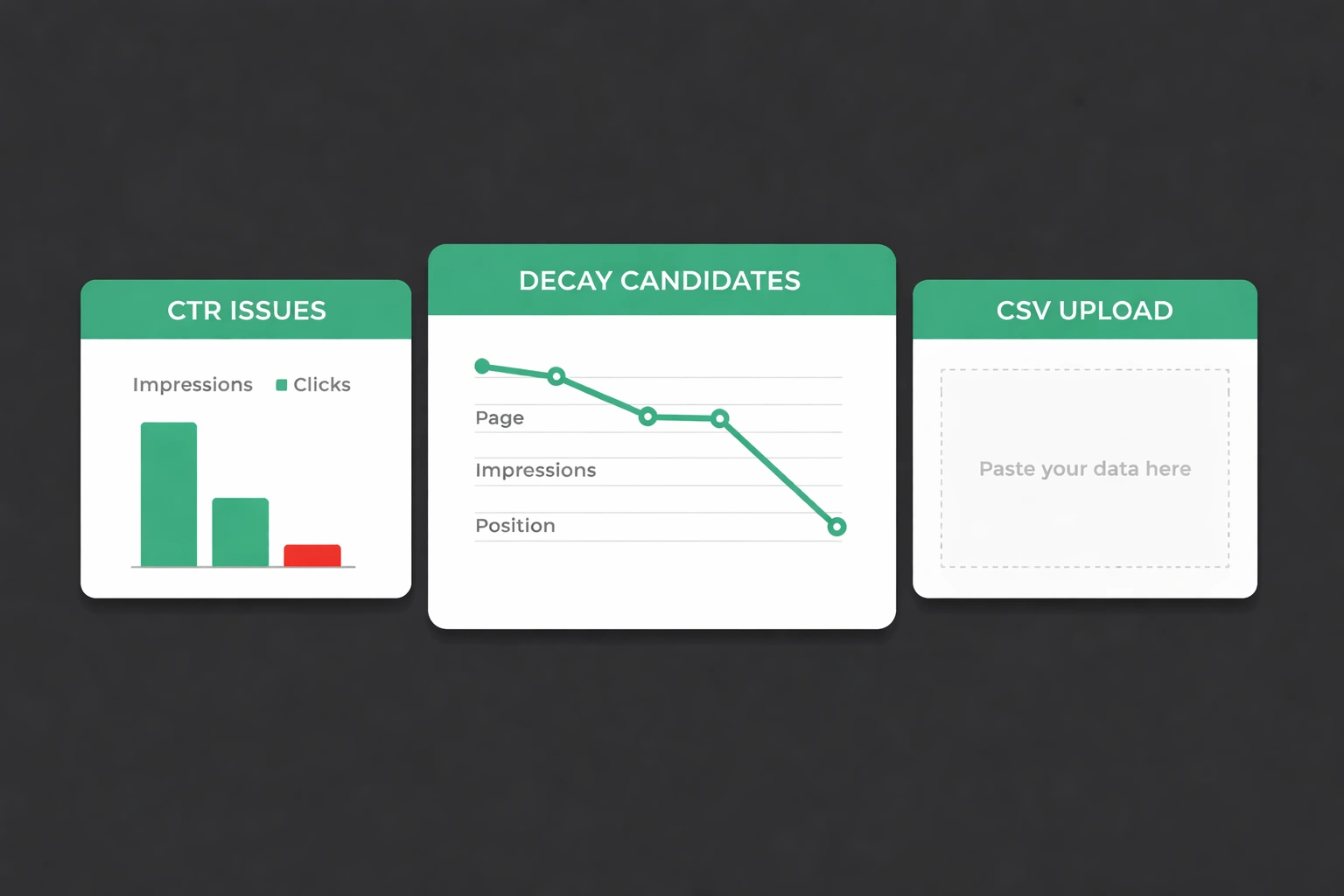
You should get three tables. Look at Quick Wins first. A query at position 14 with 300 impressions and 8 clicks means Google trusts the page enough to show it it just needs a nudge. Then check CTR Problems. If a query sits at #4 with a 1.1% CTR, the ranking is fine. The packaging isn't.
Prompt 2: Cluster-to-Draft Content Writer (SEO + AI Citation)
This prompt takes the output of the keyword research prompt and turns it into finished, publishable page copy optimized for two audiences at once: Google rankings and AI engine citations. It runs in one of two modes, either a single named page or the full cluster with the parent written first and every child following in order, with no page summarized or skipped.
For each page it produces four blocks:
Metadata: title tag under 60 characters with the primary keyword near the front, meta description under 155 characters stating the payoff, URL slug, and a reader-facing H1 that can drift from the title tag.
Full page copy: an answer-first opening of 2 to 3 sentences that stands alone without the rest of the page (the part that gets lifted into AI answers), then H2/H3 sections covering supporting keywords one subtopic at a time, written as real paragraphs rather than bullet skeletons, to a stated word range, closing with a 3 to 4 question FAQ block since Q&A format pulls into citations most reliably.
Internal linking: parents link out to every child with suggested anchor text, children link back to the parent once plus at most one genuinely related sibling.
CTA: a single product mention tied to that page's specific angle, kept out of the opening and away from generic signup language.
The style rules enforce your standing preferences: no em dashes, plain words over formal ones, flowing sentences instead of staccato fragments, and no unnatural keyword repetition.
You are a content writer for Leafpad.io, writing SEO and AI-citation-optimized blog content (this content needs to rank on Google and get cited by ChatGPT/Perplexity, so answer-first structure matters as much as keyword placement).

MODE: [SINGLE PAGE: name which one / FULL CLUSTER: all pages, parent first]

INPUT: [Paste the full cluster block from the keyword research output — parent + child pages with keywords, intent, and angle]

For each page requested, produce:

1. METADATA

   - Title tag (under 60 characters, primary keyword near the front)

   - Meta description (under 155 characters, includes primary keyword, states the payoff)

   - URL slug

   - H1 (can differ slightly from title tag, written for the reader)

2. FULL PAGE COPY

   - Opening 2-3 sentences that directly answer the core query before anything else — this is what gets lifted into AI answers, so it must stand alone without the rest of the page

   - H2/H3 structure covering the supporting keywords from the cluster naturally, one subtopic per section, no forced keyword stuffing

   - Write actual publishable paragraphs, not bullet outlines, unless a list genuinely serves the content (steps, comparisons)

   - Target length: [state a range, e.g. 800-1200 words for child pages, 1500+ for parent/pillar pages]

   - One FAQ section near the end (3-4 questions) written to directly answer likely follow-up queries, since Q&A format gets pulled into AI citations most reliably

3. INTERNAL LINKING

   - Parent page: link to every child page in this cluster, with suggested anchor text for each

   - Child pages: link back to the parent once, and to one other relevant child if there's genuine overlap — no forced sideways links

4. CTA

   - One natural mention of [PRODUCT NAME] tied to the page's specific angle, placed where it doesn't interrupt the answer-first opening. No generic "sign up now" language.

RULES

- No em dashes.

- Plain words over formal ones. Flowing sentences, not staccato fragments.

- Don't repeat the target keyword unnaturally — write for the person reading, not the crawler.

- If FULL CLUSTER mode: output the parent page completely first, then each child page in full, in the order listed in the input. Don't summarize any page — every page gets full copy.
When you read the Decay Candidates, ask: is this page old? Content from two or three years ago with a declining position usually just needs a refresh. Stale stats or outdated screenshots are boring but common reasons for a slow slide.
What to actually fix
Don't fix everything. You'll burn a weekend on marginal gains while the pages that actually matter sit untouched. Prioritize by traffic potential.
Quick Wins with high impressions are first. Jumping from #14 to #7 on a query with 500 monthly impressions is real traffic. Add a subheading, tighten the intro, or check if an internal link from a stronger page would help. LeafPad's internal linking tool is built exactly for this finding which existing posts should link to a page that's close but not quite there.
CTR Problems are usually fast fixes. Rewrite the title tag and meta description. If you want a second opinion, run options through a meta description generator or SEO title generator before committing.
Decay Candidates are worth fixing selectively. If the page still gets impressions, refresh the old parts and update stats. If it's decaying with almost no impressions, let it go. Not everything deserves a rewrite.
Mismatches high impressions, near-zero clicks often turn out to be cannibalization. The fix is usually consolidating or differentiating pages, not tweaking them individually.
The honest limitation
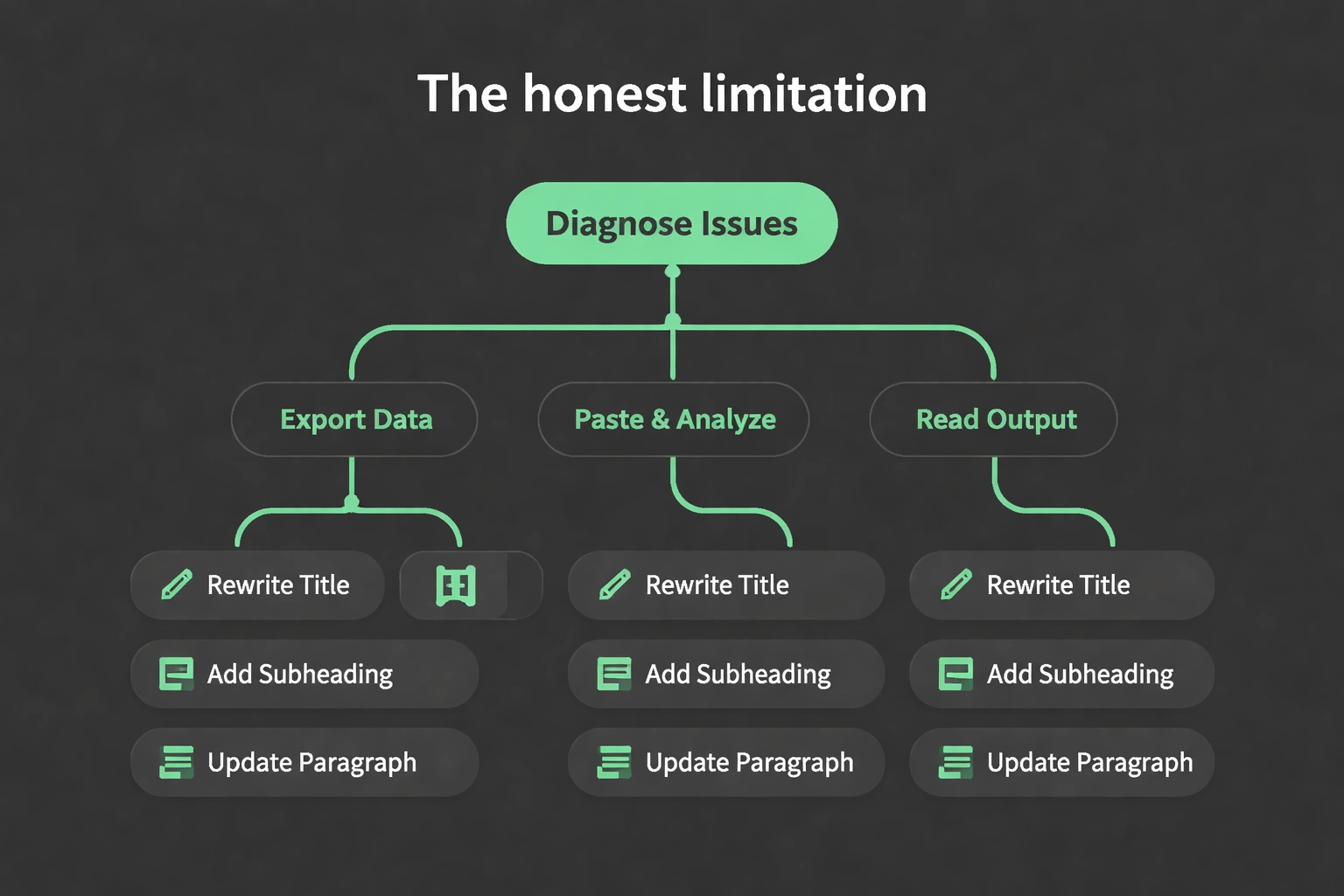
This loop is manual. You have to export, paste, and read the output every month. The prompts diagnose well they tell you what's wrong. They don't fix it. You still have to open the page, rewrite the title, add the subheading, or update the paragraph yourself.
That's fine if you have one property and twenty minutes. It gets harder with multiple sites or just not enough time to keep the habit going without slipping.
Automating it
Running this by hand works, but it relies on your memory and calendar, and both eventually fail. LeafPad does the same diagnostic work, but it pulls data on its own, builds a rolling 30-day content calendar, and publishes daily instead of waiting for you to notice a gap.
The part these prompts can't do is what LeafPad's content refresh feature handles: catching a decaying post before it drops out of the top 20 and rewriting it automatically. You can see how the publishing fits together on the auto-publish page. If you're weighing this against manual work, the manual vs automated SEO comparison lays out the trade-offs. For a solo marketer, the prompts are a solid free habit. For anyone managing content at scale, automating the loop is usually the better call.
Published with LeafPad